Hop Hop Hop Trend: What It Is and How to Make It
The Hop Hop Hop trend explained: the camera trick, the Russian song, how to film it with a friend, and what broke when we rebuilt it with AI.
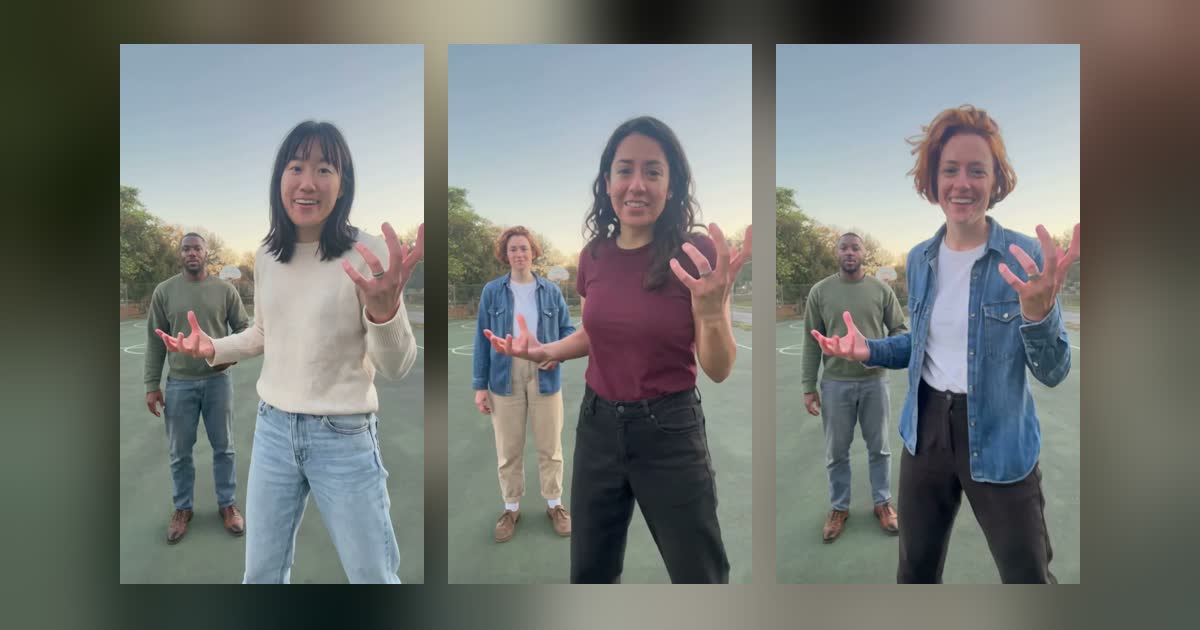
The Hop Hop Hop trend is a two-person TikTok dance from October 2026. One person stands right by the phone and points, the other hops far behind them, a flat palm seems to squash the far person into a squat, and then a hard cut swaps the two.
It looks simple, but the whole thing rests on one camera trick. Below we cover how that trick works, what the song is, how to film the dance yourself, and what went wrong when we rebuilt it with AI for our own template. Most guides stop at the steps, so the failures are the part you won't find elsewhere.
Our AI version, made from two photos. Tap to play with sound.
What is the Hop Hop Hop trend?
The Hop Hop Hop trend is a forced-perspective joke: whoever is close to the lens looks huge and whoever is a few steps back looks tiny, so when the near person lowers a palm, the far person seems to be pressed into the ground by it.
Then comes the payback. After the cut, the person who got squashed is up close doing the squashing. That reversal is why people tag a friend, and it's why you need two people to tell the joke.
Source: @bbbeataaa on TikTok. Embedded from TikTok, not made by us.
You'll also see it called the Gabi trend, after an early duo by @gabilagaba, and the Her Boyfriend dance, after the song.
The dance, step by step
Nearly every version runs in the same order across about 8 seconds:
- Point. The near person waves or points back at the far person, who hops on the beat.
- Press. The near person holds a flat palm so that on screen it hovers over the far person's head, then lowers it. The far person sinks to match.
- Swap. A hard cut around the halfway mark, and the two have traded places.
- Repeat. The same point and press, with the roles reversed.
What song is the Hop Hop Hop trend?
The sound is a speed-altered cut of "Её парень" ("Her Boyfriend") by the Russian artist Shluzov. On TikTok it usually appears as "original sound - venadeaakira", not under the song's title, which is why searching a streaming service for "hop hop hop" won't find it.
Guides disagree on one detail: some call the TikTok version sped up, others slowed down. Don't rely on either label. Open the sound from a video in your feed and compare it by ear.
The Russian lyrics are also rude. That doesn't matter much for a joke with a friend, but read a translation before you use it for a brand or anywhere kids will see it.
Where the trend came from
The Hop Hop Hop sound came first, in a September 24, 2026 post by @venadeaakira, and the duo dance took off after @gabilagaba's video on October 18. As far as trend trackers and the posts they cite can tell:
- September 24, 2026: @venadeaakira posts a pencil-sketch edit with the sound.
- October 18: @gabilagaba posts the duo that gives the trend one of its names.
- October 24 to 25: duo clips spread, and early AI-made versions start to appear.
- Late October: how-to posts and AI tools show up for people who want it without filming.
How to film it with a friend
You don't need any tool if your friend is in the room. All you need is a phone that doesn't move.
- Fix the phone. Prop it up vertically at about chest height. Any shift between takes makes the cut look like a mistake.
- Set the distance. One person stands beside the lens, partly in frame. The other stands several steps back, head to toe in view, near the middle of the shot.
- Line up the palm first. Before you press record, check the screen and adjust until the hand really does hover over the far person's head. This is the step most first attempts get wrong, because it only lines up from the lens's point of view.
- Film two takes. Do the first half, swap places, then do the second half.
- Cut on a beat. Join the takes with a hard cut and no transition.
What broke when we made it with AI
In our tests a written motion prompt got the moves wrong, one cheaper video-edit model left the source dancer in 1 of 3 takes, and another kept the faces but changed the outfits. We built this trend as a template, so we ran it through several video models. We can only speak for our own tests, but these are the problems we'd look for in any tool.
A motion prompt alone got the moves wrong. Our first source clip was generated from a written description. It looked fine as a video, but it wasn't this dance, so we threw it out. Working from the real routine fixed that. If a tool's sample doesn't match the trend beat for beat, your video won't either.
The original dancer can stay in. With a video-edit model, the model has to replace a person who is already in the shot. On one of three takes with one cheaper model, the source actor stayed in the video.
Clothes drift. Another model did keep the faces but changed the outfits. Everyone is visible head to toe in this trend, so it stands out more than it would in a close-up.
The far face is the weak spot. The person at the back fills a small part of the frame. Our examples stayed recognizable, but this is where detail goes first, and a higher resolution helps most here.
Who goes where needs saying. Swap the two photos and you swap who gets squashed first. A clear first and second photo saves a render.
Which photos work best
Use one sharp photo per person, waist up or more, since both of you are seen head to toe.
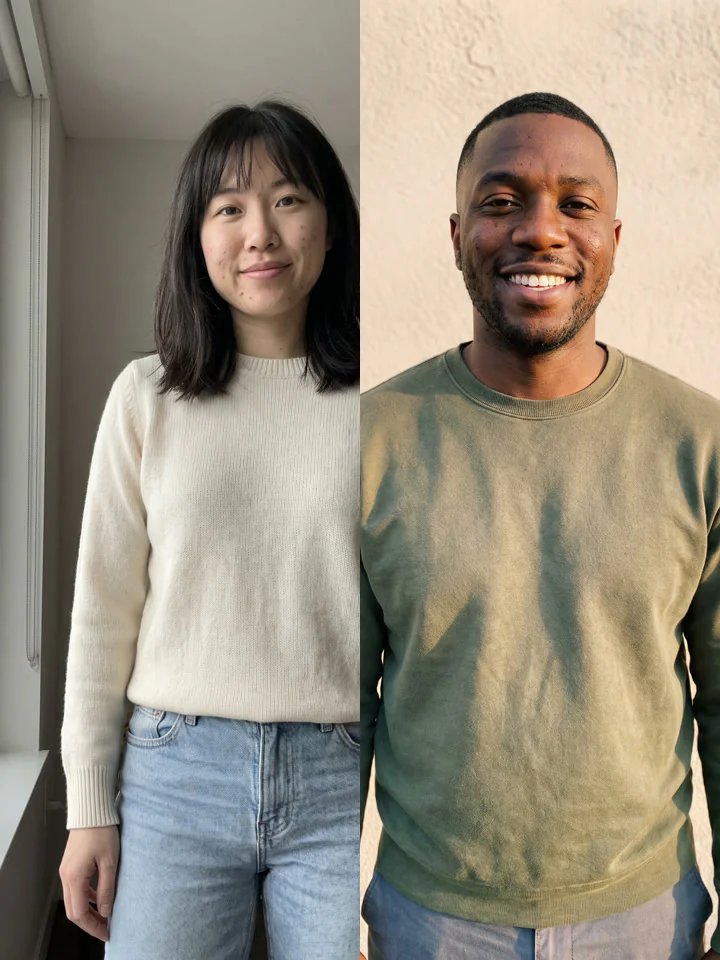
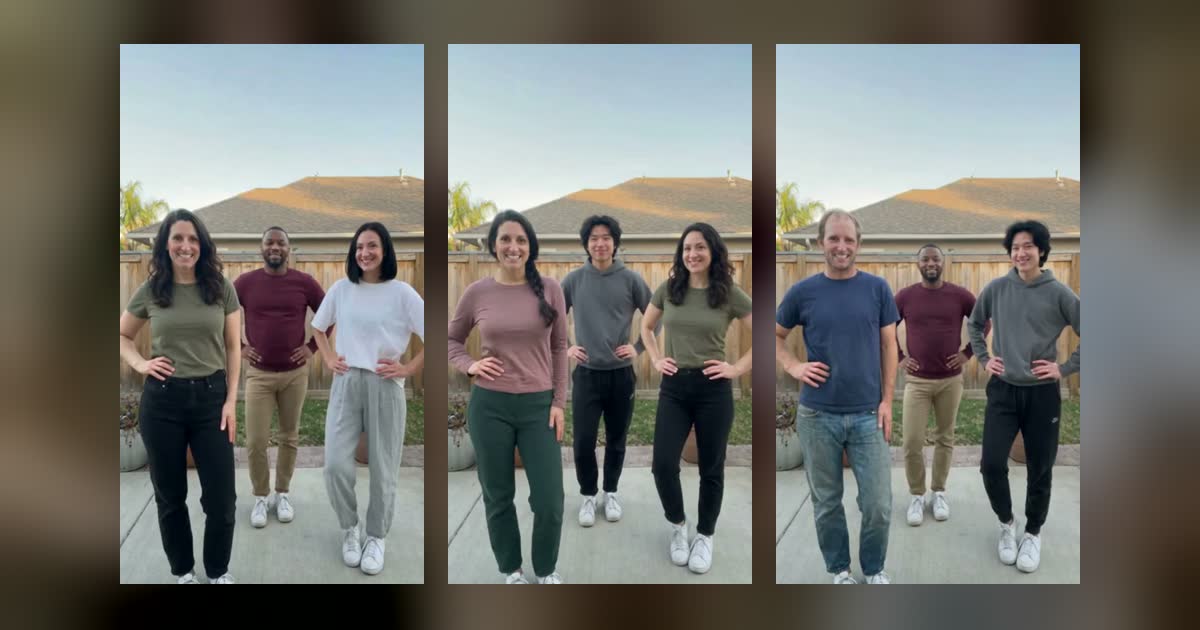
The two photos behind the example above.
- One person in each photo. Crop group shots, since two faces in one image can blend together.
- Waist up or more. If a photo stops at the shoulders, the model has to invent the rest of the outfit. Full body is safest.
- A sharp, front-facing face. Good light and no sunglasses, above all for the person who starts at the back.
- Permission. Use yourself or an adult who agreed to be in it. No celebrities and no children.
How to make a Hop Hop Hop AI video
Our Hop Hop Hop AI page does it from two photos with no prompt to write. The first photo starts up close, the second starts at the back. You get an 8-second vertical MP4 for 16 credits at 480p or 32 at 720p. This template has no free try, and the smallest pack is $9.90 for 60 credits. To see your face in a RapGlow video first, every account gets one free 4-second clip on Hotel Lobby AI or Burning Bridges AI.
The basketball court setting and the moves are fixed, so it won't look like your own hallway. If your friend is nearby and you enjoy filming, the free route above is the more authentic one.
Got a third friend? The Chipmunks Dance trend is a trio routine that works the same way, from three photos. For the other templates and the photo rules they share, see how to make an AI rap video.
Before you post
- Label it as AI. TikTok, Instagram and YouTube all have a setting for this.
- Mind the sound. The song belongs to its rights holders, and platforms can mute or limit a video whose audio they flag. That applies to our videos too, since they come with the trend's sound. If yours gets flagged, replace the audio with the sound from the app's own library.
- Tag your friend. #hophophop is the tag most people follow, and #gabitrend reaches those who know it by that name.
FAQ
Can I do the Hop Hop Hop trend alone?
Not as filmed, because the joke needs two people. You could film both roles and edit them together, but placing yourself at both distances takes careful masking.
Is the Hop Hop Hop trend the same as the Gabi trend?
Yes, in the sense that creators use both names for this duo. "Gabi dance" is also an older, unrelated search term, so add "TikTok" or "2026" if you get odd results.
How long should the video be?
About 8 seconds, with the cut near the middle. The two halves should feel equal, or the payback loses its punch.
Why does my palm miss the person's head?
The palm only lines up as seen from the lens. Check the phone screen instead of looking at your friend, and keep the phone fixed.