Rumpelstiltskin AI Prompt for the Tiptoe Meme
A copyable Rumpelstiltskin AI prompt for the tiptoe dance meme: 14 timed shots in a hay barn, plus what eight rounds of our own tests got right and wrong.
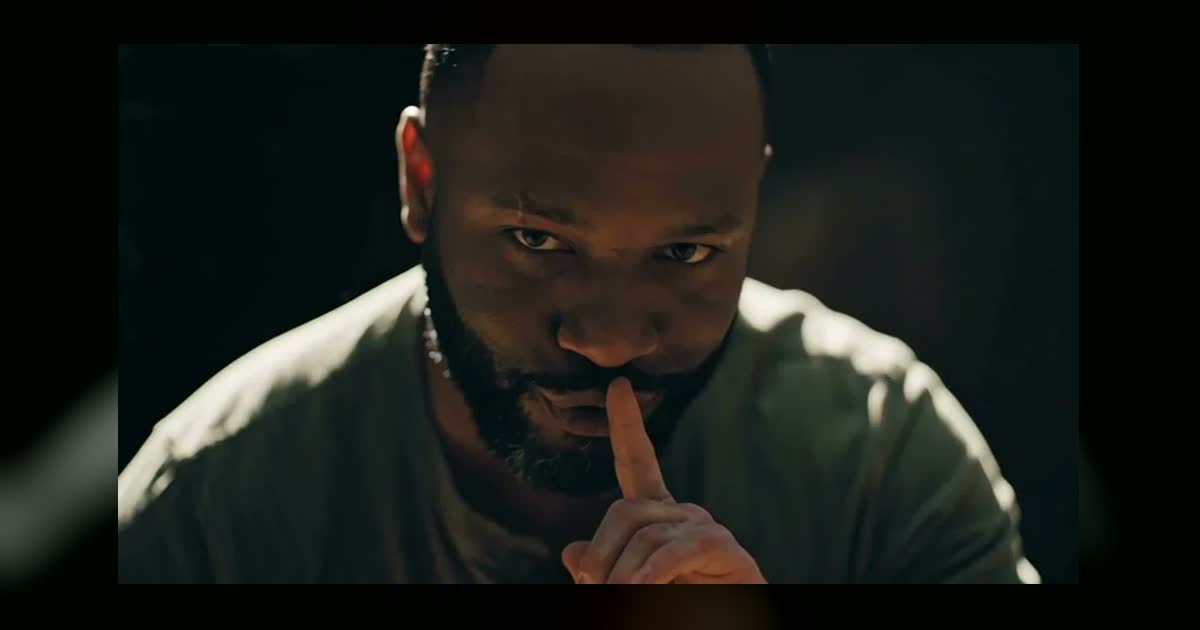
The Rumpelstiltskin meme is a creepy little man tiptoeing through a straw-filled barn in curled jester shoes, cut to look like a lost 1980s fantasy film. A Rumpelstiltskin AI prompt lets you remake it with yourself in the role: you give a video model one photo and a shot-by-shot script, and it does the rest.
Below is a prompt you can copy, written from the shot list we built for our own template, along with what eight rounds of tests taught us about making this meme: why fast cuts matter, what to avoid when describing the dancer, and where a prompt alone falls short. If you would rather skip the prompt, our Rumpelstiltskin AI template makes it from one photo.
What the meme is
The Rumpelstiltskin meme is an AI-generated clip that many viewers mistook for an old movie. It was posted on Instagram on August 27, 2026 by accounts including that of AI artist and filmmaker Tatyana Tereshchenko. Many viewers assumed it came from the 1987 Rumpelstiltskin musical, and it took days for people to work out that it was AI.
It took off on TikTok in late September, when a user paired it with Riff Raff's song "Tip Toe Wing In My Jawwdinz" and a caption about dollar-store melatonin dreams. That post passed 900,000 views in under a week. The sound is why so many people search for it as "tip toeing in my Jordans". Jacksonville Jaguars players recreated the dance after a touchdown on October 18 and gave it a second wave.
What people remember is specific: the peek from behind the hay, the shush, the hand reaching for her hair, the stiff bouncing dance and the shoes.
The Rumpelstiltskin AI prompt (copy and paste)
Upload one photo as a reference image for the dancer. A second photo for the woman is optional. Then paste this:
Widescreen 16:9 cinematic video, an eerie fairy-tale scene inside an old barn at night, made to look like a 1980s fantasy film. The background falls off into near-black darkness. The only light is a warm low golden light on piles of loose straw and stacked hay bales. Deep shadows, shallow depth of field, soft film grain, rich warm tones.

The dancer is the person in reference image 1, an adult with their normal adult build. Match their face, hair and skin tone in every shot, and keep the clothes from the photo. Add bright red socks and curled red-and-yellow jester shoes with long pointed tips that curl up. They wear a sly, slightly creepy closed-mouth smile and move like a stiff, bouncy puppet.

The woman is a fictional adult in her thirties with long wavy pale blonde hair, soft vintage makeup and a long-sleeved cream vintage dress, sitting in the straw. She is the same woman in every shot, including wide shots.

Hard cuts on the beat, about one per second:
Shot 1 (0-0.7s): medium close-up of the woman sitting in the straw, frozen, staring off screen.
Shot 2 (0.7-1.8s): wider shot of the woman, facing the camera. Behind a hay bale on the left, the dancer's head slowly peeks out.
Shot 3 (1.8-2.3s): close-up of the dancer peeking around the hay bale, sly smile.
Shot 4 (2.3-3.6s): close-up of the woman. She gasps and presses one hand over her mouth, eyes wide.
Shot 5 (3.6-4.6s): over the woman's shoulder, her blurry hair in the foreground. The dancer peeks out from behind the hay bale in the background.
Shot 6 (4.6-6.7s): wide shot of the woman in the straw. She slowly turns her head to look over her shoulder.
Shot 7 (6.7-8s): over her shoulder, the dancer tiptoes toward her across the straw in tiny exaggerated sneaking steps.
Shot 8 (8-8.9s): close-up of the dancer looking into the lens, raising one finger to their lips: shh.
Shot 9 (8.9-10.8s): extreme close-up of the woman, tears on her cheeks, hand over her mouth. The dancer's hand reaches into frame and gently strokes her hair.
Shot 10 (10.8-11.9s): over her shoulder, wide shot. The dancer does a bouncy tiptoe dance on the straw, knees bent, both arms stretched out and swinging.
Shot 11 (11.9-12.3s): extreme close-up of the woman's eyes, one tear running down.
Shot 12 (12.3-13.1s): wide shot of the dancer tiptoe dancing with arms spread wide.
Shot 13 (13.1-13.9s): medium shot of the dancer, arms spread, grinning, bobbing their head to the beat.
Shot 14 (13.9-15s): close-up of the feet only: red socks and curled jester shoes tiptoeing and stomping on the beat in the straw.

The dancer's mouth stays closed. Nobody on screen talks or sings. Every cut and every step lands on the beat.

Sound: an original laid-back, minimal, bouncy hip hop beat at exactly 90 BPM, sparse kick and finger snaps on every beat, a deep sliding 808, a playful plucky synth melody, and a lazy, drawled male rap off-screen: "Tip toe, tip toe, sneakin' through the hay, shh, don't make a sound, I'm comin' your way. Tip toe, tip toe, light up on my feet, curly shoes dancin' on a sneaky beat." No text, no subtitles, no logos, no watermark.
How far you can trust this: the shot list and timings come from the prompt we ran on Seedance 2.5 text-to-video, which followed the structure and the 90 BPM. That run was vertical and used fictional characters, so the widescreen, reference-photo wording above hasn't been run exactly as written. The lyrics are our own, written for this clip, and you're welcome to replace them.
Before you hit generate:
- Name the reference the way your tool does. In Seedance that's @image1, and other tools have their own syntax.
- Using a second photo? Replace the woman's paragraph with "The woman is the person in reference image 2", and only use a photo of an adult who agreed to it.
- Clip too long for your tool? Split it at shot 8, right before the shush, and join the two parts in an editor.
What we learned from eight versions
Eight versions taught us seven things: spell out every shot, copy the real running order, keep the frame wide, never ask for a small body, name the woman in every shot, expect the outfit to drift, and don't expect text alone to catch the meme's feel. The first versions looked nothing like the meme.
One long take reads as a generic dance
Our first try described the scene in a single shot. It came back as an ordinary dance video. The meme's strangeness comes from the edit, with sixteen quick cuts in fifteen seconds and a cut about every second. That's why the prompt above spells out every shot: 14 of them in 15 seconds.
Don't invent the structure
Our second try had eight shots we wrote from a short demo clip. It looked better, and it still felt wrong, because much of the running order was our own guess. Writing the shots from a full version of the sequence fixed the structure on the third try. Watch the meme a few times and note the order of the peek, the gasp, the shush and the dance before you change anything.
Keep the frame wide
We tried cropping to vertical for TikTok. The over-the-shoulder shots lost the woman almost completely, and without her the scene stopped making sense. The trend's own cut is widescreen, so keep it 16:9, even for phones.
Don't ask for a small body
The character is a little man, so it is tempting to write "very short". When we leaned on that, the face came out looking like a child, and we threw that version away. Leave the build alone: your normal adult proportions still read as funny next to the jester shoes.
Say the woman changes in every shot
When we gave her a new face, the model changed her in close-ups and skipped her in the wide shots. The fix was naming her in every shot, and we needed one more instruction before she stopped turning her back to the camera in shot 2. That is the reason for "facing the camera" in the prompt.
Clothes are the least reliable part
The same prompt put the dancer in the photo's clothes on one run and kept a different striped jacket on the next. Generate a few and keep the best. A waist-up or full-length photo helps, since a tight face crop leaves the model guessing about the outfit.
Text alone only got us part of the way
Even at its best, text-to-video got the structure right without quite catching the meme's feel. We got much closer by giving a video-edit model a reference clip, with a prompt describing every shot, and that's how our template works. The catch is rights: that method depends on the clip you start from, and an AI meme clip still has creators. A text prompt like the one above gives you footage you generated yourself.
Photos that work best
- Face the camera. The shush and the grin both look straight into the lens.
- Keep your mouth closed. The character smirks and never speaks, so a neutral face or closed-mouth smile fits better than a big laugh.
- Get your hair off your face. The light is low and grainy, and the face needs all the help it can get.
- Use photos of adults only. Use your own, or those of adults who said yes. Our photo check also rejected one adult who simply looked very young, so expect some tools to be cautious.
Adding the trending song
Riff Raff's track isn't something you can bake into a file you post elsewhere. Upload the video to TikTok or Instagram, pick the song in the app's sound library and turn the original sound down. One timing note if you line up your own audio: our 15-second source came back from Seedance about 0.3 seconds short, so the later cuts drift off the beat unless you stretch it back to a full 15 seconds.
Skip the prompt: Rumpelstiltskin AI
For the meme without the prompt and the retries, use our Rumpelstiltskin AI template. Upload one photo to play the dancer, and optionally a second for the woman. The photo rules for all our templates are in how to make an AI rap video. You get a 15-second, 16:9 video in a few minutes, cut like the trend clip, for 45 credits at 480p or 90 at 720p. The sound is our own beat rather than Riff Raff's song, and the site isn't affiliated with him or with the clip's creators. Credit packs are one-time, see Pricing.
FAQ
What is a Rumpelstiltskin AI prompt?
It's the text you give an AI video model to recreate the tiptoe dance meme: a shot-by-shot script for the barn, the peek, the shush and the dance. Most people pair it with a reference photo, so that the dancer has their face.
Which AI video generator should I use?
Any model that takes a reference image and a long, shot-by-shot prompt. We worked on Seedance 2.5, the same model behind our zombie AI prompt, which tells a whole short story from two photos. The prompt is model-neutral, so it should carry over to other tools, but expect to adjust how the reference is named and how long a clip can be.
Is the Rumpelstiltskin clip from a real movie?
No. Many people took it for the 1987 film or an old Soviet fairy tale, but the clip is AI-generated. The film grain and the 1980s look are part of the effect, which is why the prompt asks for them.
Why does my dancer look like a child?
Most likely the prompt asks for a very short or tiny character. Remove those words and say the dancer is an adult with their normal adult build. That fixed it for us.
What are the shoes called?
They're curled jester shoes, and in our clip the socks are bright red. Describe the curl and the colours, and give them their own close-up at the end so they're sure to be seen.
Can I post it, and do I need to label it?
Post it for personal, non-commercial use, and label it as AI. The original clip fooled a lot of people, so the label matters here. Only use photos of people who agreed to appear. TikTok explains its label in its help center.